Recommend Serum 2 Presets? The Packs to Buy for Your Genre

6 hours ago
12 min read
If you're asking me to recommend Serum 2 presets, my answer is my own Noise Harmony packs, chosen by the music you make: Parallel Dimension for melodic techno, Berlin for techno, Dream Horizon for electronica, trap, ambient and cinematic work, and Vanilla 33 for warm sounds you shape with macros. They are made for Serum 2, so you need Serum 2 to open them. I make these packs, so I'm not neutral, but that also means I can tell you what's in each one and who should leave it alone. A good pack should get a sound into your track in minutes, and that's the test each one here has to pass.

Table of contents
Which Serum 2 presets do we recommend?

We recommend the Noise Harmony Serum 2 packs, and the right one depends on the music you make. Parallel Dimension is for melodic techno, Berlin is for techno, Dream Horizon covers electronica, trap, ambient and film-style music, and Vanilla 33 suits producers who like to shape each sound with macros. If you work across several styles, you can also check the Multiverse bundle page.
Xfer Serum 2 | 155+ Presets | „Multiverse Bundle” [BUNDLE]
€64.00€22.40
Buy Now

All of these packs are made for Serum 2 and won't open in Serum 1; the compatibility section further down explains what to do if you're still on the old version.
Parallel Dimension: 63 melodic techno presets with advanced macros, FX chains and MIDI clips
Berlin: techno presets for Serum 2
Dream Horizon: 60+ electronica, trap, ambient and cinematic presets with macros, FX chains and MIDI clips
Vanilla 33: 33 warm, playable presets for hip hop, pop and ambient, with more than 260 macros for shaping the sounds
Multiverse bundle: 155+ Serum 2 presets from Dream Horizon, Parallel Dimension and Vanilla 33, for producers who move between genres
Parallel Dimension: melodic techno presets for Serum 2

Parallel Dimension is my melodic techno pack, with 63 presets for Serum 2. The pack comes with advanced macros, FX chains and MIDI clips, so a sound arrives with its movement and its effects already in place. The MIDI clips matter more than they seem, because on an empty project you hear a phrase in the style the preset was made for instead of one held note that tells you very little.
Xfer Serum 2 | 60+ Presets | „Parallel Dimension”
€25.00€12.50
Buy Now

If your tracks sit in the melodic techno and progressive corner, with long builds and arps that change over several minutes, this is the pack to start with. If you make trap, skip it and look at Dream Horizon instead, and if you make hip hop or pop, Vanilla 33 is the better fit, since a melodic techno sound rarely drops into a half-time beat without a lot of editing. Our post on the Parallel Dimension release has more on the macros and the MIDI clips.
You can hear the presets in our Parallel Dimension audio preview, so you can judge the sounds before you spend anything.
Our demo of Parallel Dimension plays melodic techno presets from the pack for Serum 2.
Dream Horizon: electronica, trap, ambient and cinematic presets
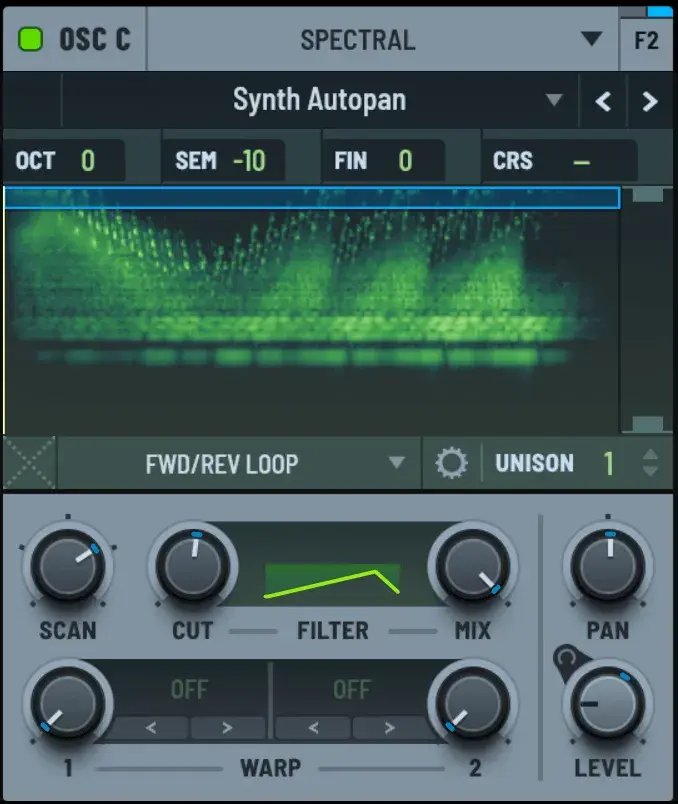
Dream Horizon is the widest of my Serum 2 packs in style, with 60+ presets for electronica, trap, ambient and cinematic or film score music. Like Parallel Dimension, it comes with custom macros, FX chains and MIDI clips. That mix suits producers who write for games, short films or their own instrumental records, where one project can need a slow pad in one cue and a heavy trap bass in the next.

I think this is the easiest first pack for someone who doesn't stick to one genre, because four styles sit in one folder. The trade-off is that each style gets a share of the 60+ presets rather than the whole pack, so a producer who only makes trap gets fewer trap sounds than the total count suggests. Our announcement of Dream Horizon for Serum 2 lists how many presets each category has.
Vanilla 33: warm sounds you shape with macros

Vanilla 33 is a smaller pack with 33 presets and more than 260 macros spread across them. That means each sound has plenty of controls you can move without opening Serum's deeper pages, which is handy when you want to tweak a sound in the middle of writing rather than stop and do sound design.
One of its key sounds is the finished preset in our how-to on building warm layered Serum 2 keys, which shows how three layered sources, moving filters and balanced effects come together before you buy the pack.
Vanilla 33 suits producers who like to play a sound into place rather than scroll through hundreds of presets. If you want a big library to browse, it's the wrong pick, because 33 presets is a small set next to my other packs. Listen to our Vanilla 33 audio preview to hear the pack before you decide.
Our Vanilla 33 demo lets you hear the 33 Serum 2 presets before you decide on the pack.
Berlin and the Multiverse bundle: techno and several genres at once
Berlin is my techno pack for Serum 2, and you can find it in Xfer's official preset store. If your tracks are darker and more driving than melodic techno, Berlin is the one to look at, and if you want the melodic side of the genre, Parallel Dimension fits better. Our comparison of five Noise Harmony Serum 2 packs puts Berlin next to the other packs by preset count, macros and price.
The Multiverse bundle is for producers who work in more than one genre and want three of my Serum 2 packs (Dream Horizon, Parallel Dimension and Vanilla 33) together; Berlin is sold separately through Xfer Records. Our post on Serum 2 packs by genre compares it with Dream Horizon, Parallel Dimension and Vanilla 33, so you can see whether the bundle or a single pack makes more sense for you. At the time of writing, my Black Friday 2026 sale has up to 65% off my presets, so this is a good week to compare the current prices.
Also check
What makes a Serum 2 preset pack worth buying?

A pack is worth buying when it gives you sounds the factory library doesn't, and when you can use them in a track within minutes. Serum 2 already ships with over 626 presets and 288 wavetables, so a paid pack has to beat a folder that is already on your drive for free. If you're new to the synth, spend a week with the factory sounds and our 10-minute Serum 2 quickstart for beginners first; our article on whether it's okay to use synth presets covers why starting from presets is a normal way to work.
These are the points I'd check on any Serum 2 pack before paying for it:
For me, macros are the first thing to check, because they decide whether a preset works in your second track or only in the demo. Our Serum 2 macro setup for live use shows what a useful set of four knobs looks like: brightness, movement, space and dirt, each with a range that won't wreck the sound.
Made for Serum 2: a native Serum 2 preset can use the arpeggiator, the clip sequencer and the Multisample, Sample, Granular and Spectral oscillators, none of which exist in Serum 1.
Macros that change something you'd want to change in a mix, rather than eight knobs that each nudge one small parameter.
MIDI or preview clips, so you hear the preset played the way its designer meant it to be played.
Clear names, categories and tags, so you never end up hunting for "Pad 47".
Do Serum 1 presets work in Serum 2?
Yes, Serum 2 loads Serum 1 presets, and they should appear in the Serum 2 preset browser on their own. Ratings you gave presets in Serum 1 carry over as well, but only on Serum 2's first launch, so ratings you change in Serum 1 later won't follow. It doesn't work the other way round. Serum 1 can't load Serum 2 presets, and that includes old Serum 1 presets you've opened and changed in Serum 2.
For buyers, that makes the rule simple. A pack sold for Serum 2 needs Serum 2, and every pack in this article is one of those. If you own Serum 1, the upgrade is free, and Serum 2 costs $249 new from Xfer Records with lifetime free updates, plus a 15-minute demo for macOS and Windows. Our Serum 1 vs Serum 2 comparison explains how old projects move across, and I'd keep Serum 1 installed until you've opened your current projects in the new version.
Run the latest Serum 2 build before loading any new pack. At the time of writing, Xfer's downloads are version 2.1.5. Serum 2 comes as 64-bit VST3, AU and AAX plugins and runs on Windows 10 or later, macOS High Sierra or later on Intel Macs, and macOS Big Sur or later on Apple Silicon.
How to install Serum 2 presets

Installing a pack means copying its preset folder into Serum 2's User folder and telling Serum to rescan. Keep each pack in its own folder, so it shows up as its own subfolder in the browser and doesn't get mixed in with your own patches.
The longer walkthrough, including .SerumPack files and the usual fixes, is in our how-to on installing Serum 2 presets. If you later want to rename or move a pack, use Rename/Move Preset in the browser menu and choose Rescan Database afterwards, so Serum's list keeps up with what's on your drive.
In Serum 2, use the main menu's command that shows the Serum presets folder on your drive.
Copy the pack's folder into the User folder. On macOS that's ~/Library/Audio/Presets/Xfer Records/Serum 2 Presets/Presets/User (the Library folder inside your home folder, not the one at the top level of your drive).
On Windows it's C:\Users\YourUsername\Documents\Xfer\Serum 2 Presets\Presets\User.
Back in Serum 2, choose Rescan Folders on Disk from the main MENU (and Rescan Database from the presets browser menu if they still don't show up).
If the new presets still don't appear, choose Erase and Rebuild Database from the same menu, but note that this wipes your star ratings and tags, so back them up first.
How to preview Serum 2 presets before you commit
Serum 2 can play a preset for you before you touch your keyboard, which makes going through a new pack much faster. Click "- Init -" to open the presets menu, choose a preset, then use the < > arrows next to its name to step through that subfolder. The presets browser, opened with the button next to the main menu near the top right, loads a preset when you click its entry in the list.
In the browser, the play button previews a preset. Serum plays the MIDI clip the designer chose as the preview, and if there isn't one it plays a fallback clip, which you can pick with Preview Fallback Clip. Turn on auto-preview in the browser, and each preset plays its clip as you step through the list. Presets with large embedded samples, such as multisampled instruments, show a small green progress bar under the name while they load.
One thing to watch while you clean up: Delete Preset(s) may not ask for confirmation, and you can't undo it inside Serum. The files go to the Trash on macOS or the Recycle Bin on Windows, so you can put them back from there and then choose Rescan Database.
Hear it: “Parallel Dimension” for Serum
Two sounds from our “Parallel Dimension” presets for the Serum, plus the full demo track. Have a listen before you start turning knobs.
ARP Absolute ZeroNoise Harmony · Parallel Dimension
Pad SpeedNoise Harmony · Parallel Dimension
Parallel Dimension (full demo)Noise Harmony · Parallel Dimension
How to make a preset sit in your track in five minutes
A preset is a starting point, and a few quick moves fit it to your song. Play your own part into it before you judge it, because a sound that works on the preview clip can feel different on your chords and in your key. Then work through these steps in order:
Our tips on saving Serum 2 presets with tags and backups cover that last step in more detail. If you control Serum 2 from hardware, know that MIDI CC assignments saved in a preset only load when Load MIDI Map from Preset is turned on in the Global preferences, and that setting is off by default.
Set the level with the MAIN knob near the top right, so the preset doesn't hit your mixer louder than your other tracks.
Turn the macros before anything else, since they cover the parameters that shape that sound the most.
Use the Undo and Redo buttons in the header to compare your change with the original.
If the preset has its own long reverb or delay and your mix uses a shared reverb, lower the preset's effect mix so the two don't pile up.
Save your version under a new name with tags, so the original stays untouched.
So which Serum 2 presets should you buy?
Buy the Noise Harmony pack that matches the music you release most: Parallel Dimension for melodic techno, Berlin for techno, Dream Horizon for electronica, trap, ambient and cinematic work, and Vanilla 33 if you'd rather shape a few sounds deeply with macros. If you work across genres, the Multiverse bundle (Dream Horizon, Parallel Dimension and Vanilla 33) covers most of them; Berlin is sold separately. In my Black Friday sale right now, Parallel Dimension and Dream Horizon are €12.50 each (regular €25.00), Vanilla 33 is €7.00 (regular €14.00), and the Multiverse bundle is €22.40 instead of €64.00. Serum 2 itself isn't included. Before you buy, update to the latest Serum 2, because all of these packs are made for it and won't open in Serum 1.
For me, the best sign that a pack works is when its sounds turn up in finished tracks instead of sitting in a folder nobody opens. Which genre do you make in Serum 2, and which pack would you start with? Let me know in the comments.
Find your Serum 2 pack
Pick the pack that fits your genre, or get the Multiverse bundle if you work in several styles. My Black Friday 2026 sale has up to 65% off my presets while it runs, so now is a good time to compare prices.
More information
Frequently Asked Questions
What are the best Serum 2 presets to buy?
The best pack is the one that matches your genre. We recommend Noise Harmony's packs: Parallel Dimension for melodic techno, Berlin for techno, Dream Horizon for electronica, trap, ambient and cinematic music, and Vanilla 33 for macro-driven sounds. The Multiverse bundle suits producers who work in several genres.
Can Serum 2 use Serum 1 presets?
Yes. Serum 2 loads Serum 1 presets, and they should appear in the Serum 2 preset browser on their own. Ratings from Serum 1 carry over too, but only on Serum 2's first launch.
Do Serum 2 presets work in Serum 1?
No. Serum 2 presets can't be loaded in Serum 1, and that also covers Serum 1 presets you've changed and saved in Serum 2. If you own Serum 1, the upgrade to Serum 2 is free.
Where are Serum 2 presets stored on Mac and Windows?
Your user presets live in the User folder. On macOS it's ~/Library/Audio/Presets/Xfer Records/Serum 2 Presets/Presets/User (the Library folder inside your home folder, not the one at the top level of your drive), and on Windows it's C:\Users\YourUsername\Documents\Xfer\Serum 2 Presets\Presets\User. After adding presets, choose Rescan Folders on Disk from the main MENU (and Rescan Database from the presets browser menu if they still don't show up).
Are the Serum 2 factory presets enough?
They're enough to learn the synth, since Serum 2 ships with over 626 presets and 288 wavetables. A paid pack makes sense when you want sounds built for one genre, with macros and MIDI clips ready for a track. Spend some time with the factory library first so you know what you're missing.
How do I preview Serum 2 presets before loading them?
Open the presets browser and click the play button next to a preset. Serum plays the designer's preview clip, or a fallback clip if there isn't one. Turn on auto-preview to hear each preset as you step through the list.
Do I need to pay for Serum 2 to use these packs?
Only if you don't own Serum 1. Serum 1 owners get Serum 2 free, and new buyers pay $249 at Xfer Records with lifetime free updates. A 15-minute demo for macOS and Windows lets you try the synth first.
ABOUT THE AUTHOR

Chris
Producer and sound designer, synth sounds
Chris is a producer and sound designer at Noise Harmony. Synth sounds are his strength, and techno, electro and hip hop run in his blood. He has made sounds with Xfer Records (Serum 2), KORG, Arturia and many more, and he is always busy with his own bands. He gave his life to music long ago.
FOLLOW US ON


Comments